The Revenue Impact of Automating Key Marketing Tasks
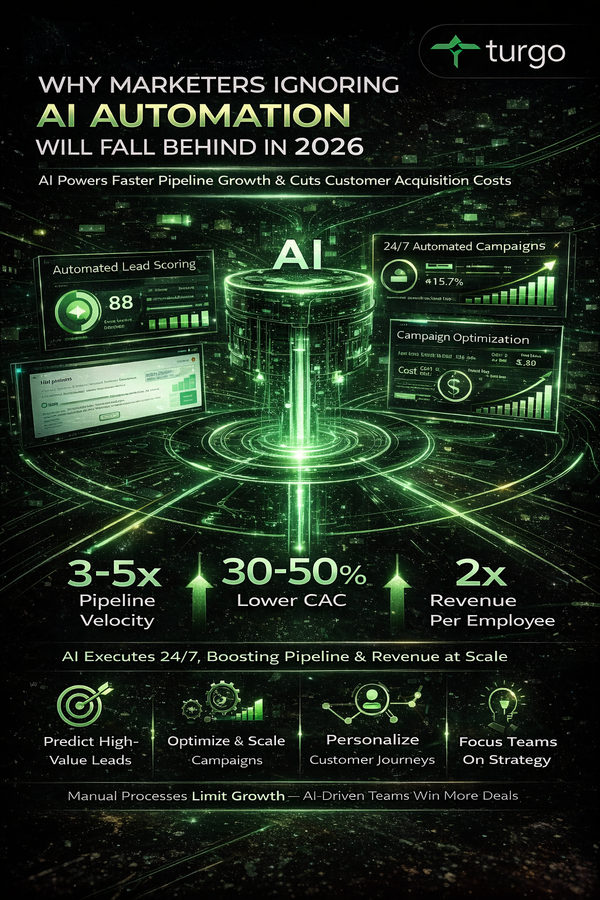
Discover how automating repetitive marketing tasks can significantly impact your revenue, boosting pipeline velocity and improving cost-per-acquisition. Automation isn't a nice-to-have, it's a necessity for growth.
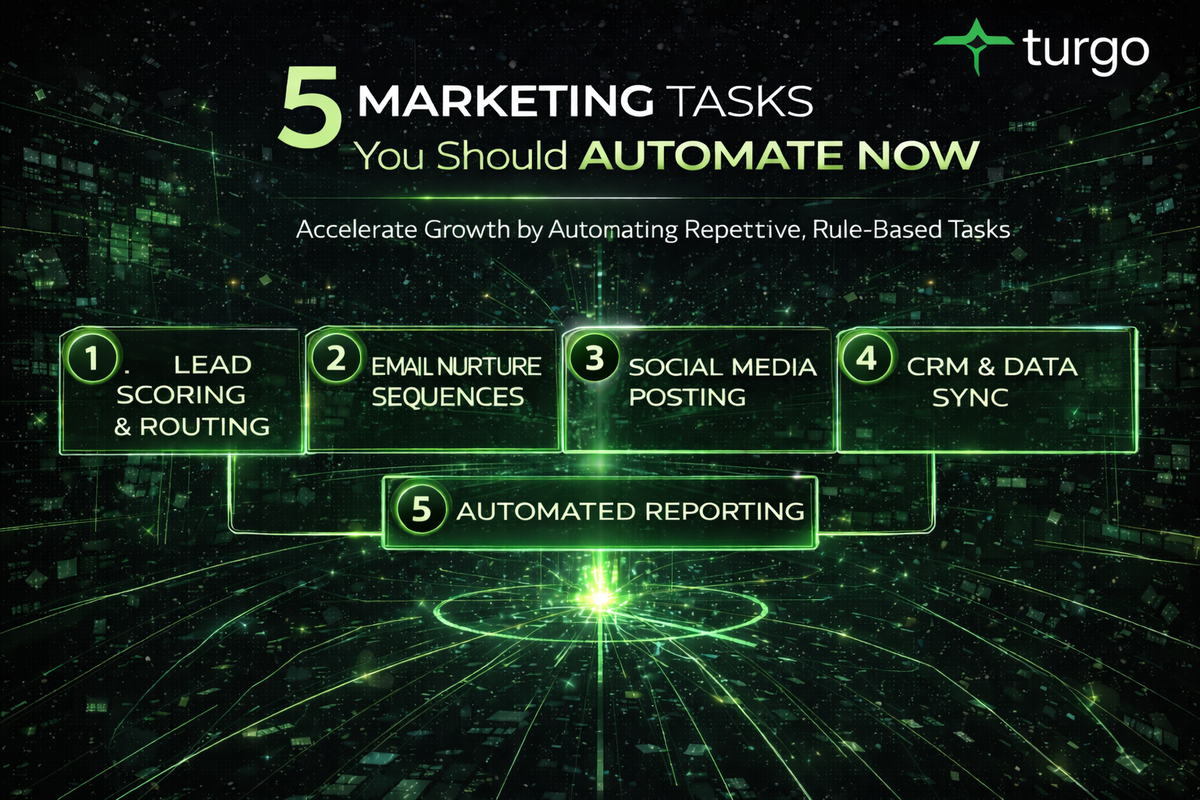
5 Marketing Tasks You Should Automate Now
Meta Description: Stop wasting time on repetitive marketing work. Automate lead scoring, email sequences, social posting, and reporting to free your team for strategy and growth.
What Marketing Automation Actually Means for Your Growth Team
Marketing automation is the use of software and systems to handle repetitive, rule-based marketing tasks without manual intervention. For most growth teams, this means moving beyond spreadsheets and manual processes to let technology handle lead nurturing, data updates, campaign scheduling, and reporting while your team focuses on strategy and optimization.
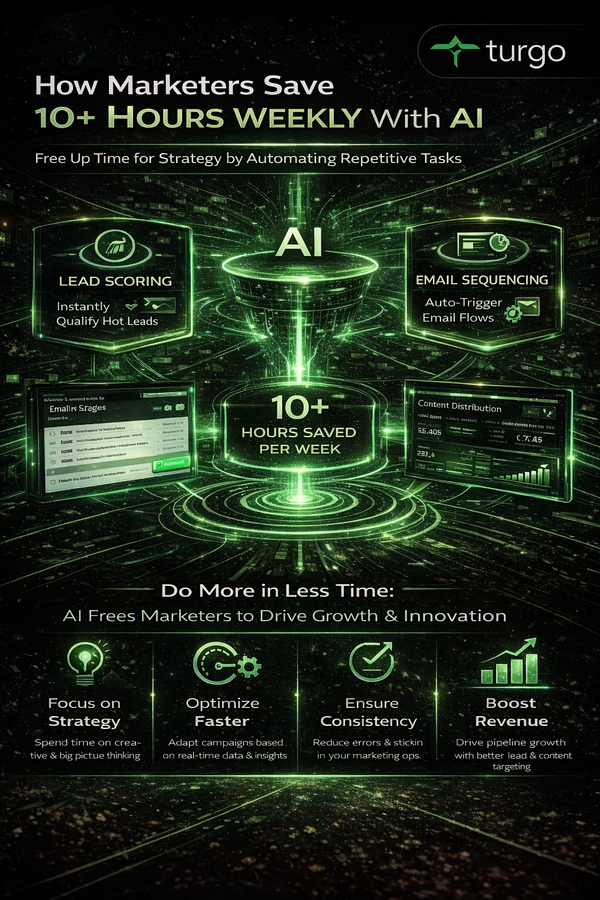
The business case is straightforward: your team has finite hours. Every hour spent on manual tasks is an hour not spent on strategy, testing, or revenue-driving work. Automation doesn't replace strategy—it protects time for it. For CMOs allocating budget and revenue leaders prioritizing pipeline, automation is often the highest-ROI investment available because it compounds over time. A task that takes 2 hours per week saves 104 hours per year. At a fully-loaded cost of $75 per hour, that's $7,800 in recovered capacity annually—often for a tool that costs $500–$2,000 per year.
Why Manual Marketing Tasks Kill Pipeline Velocity
Manual processes introduce three silent killers: delay, inconsistency, and human error. When lead scoring happens in a spreadsheet, qualified leads sit in inboxes for days. When email sequences are sent manually, timing varies. When reporting requires manual data pulls, insights arrive too late to act on.
For growth teams evaluating automation, the real cost isn't the tool—it's the pipeline impact of slow, inconsistent execution. A lead that enters your system on Monday but doesn't get contacted until Friday has a measurably lower conversion rate. A nurture sequence that goes out at random times converts at 20–30% lower rates than one sent at optimal times. A sales team that doesn't see updated lead scores until Tuesday morning may have already moved on to other prospects.
Consider a mid-market SaaS company with 500 inbound leads per month. If manual lead scoring delays qualification by 48 hours, and that delay reduces conversion by just 5%, you're losing 25 qualified opportunities per month—roughly $50,000–$100,000 in annual revenue depending on deal size. Automation eliminates that delay entirely.
What Gets Automated First (And Why)
The highest-impact automation targets tasks that are:
- Repetitive (same action, same rules, every time)
- Time-consuming (hours per week or month)
- Rule-based (if X happens, do Y)
- High-volume (affects many leads or contacts)
For most B2B growth teams, the first five automations deliver 70% of the time savings and pipeline impact. These are: lead scoring and routing, email nurture sequences, social media posting, data synchronization, and reporting and dashboards.
Task 1: Lead Scoring and Routing
Why are you still manually scoring leads?
Lead scoring is the process of assigning points to prospects based on their behavior and fit, then using those scores to determine sales readiness. Manual lead scoring—reviewing each lead individually and deciding if it's "hot" or "cold"—is one of the slowest, most error-prone tasks in marketing.
When lead scoring is automated, rules do the work. A prospect who visits your pricing page three times, downloads a case study, and matches your ideal customer profile automatically receives a high score. That score triggers an automatic notification to sales, or automatically enrolls the prospect in a nurture sequence. No human decision required. No delay.
For revenue leaders prioritizing pipeline, automated lead scoring solves two problems at once: it ensures no qualified lead falls through the cracks, and it ensures sales isn't wasting time on unqualified prospects. A typical result is a 20–40% improvement in sales productivity because reps spend less time on tire-kickers and more time on real opportunities.
A B2B software company with 1,000 monthly leads might manually score 200–300 of them (the "obvious" ones), leaving 700–800 unreviewed. With automation, all 1,000 are scored consistently. If just 5% of those previously unreviewed leads convert, that's 35–40 additional qualified opportunities per month—often worth $100,000+ in annual revenue.
Task 2: Email Nurture Sequences
How much time does your team spend on manual email sends?
Email nurture sequences are pre-written, rule-triggered email campaigns that move prospects through your funnel automatically. Without automation, nurture means manually sending emails to lists, or worse, manually following up with individual prospects.
Automated nurture sequences work like this: a prospect opts in or downloads something, and they automatically receive a series of emails over days or weeks. Each email is timed, personalized with their name and company, and triggered by their previous action. If they click a link, they might move to a different sequence. If they don't engage, they might receive a re-engagement email. All of this happens without anyone touching a keyboard.
For demand generation managers, automated nurture is the difference between a 2–3% conversion rate (manual, inconsistent) and a 5–8% conversion rate (automated, consistent, optimized). The time savings is secondary—the conversion lift is primary.
A company with 500 prospects in nurture, sending 2 emails per week manually, spends roughly 4–6 hours per week on email management. That's 200–300 hours per year. Automated nurture eliminates that work entirely while improving results. A typical outcome: 40–50% more conversions from the same prospect pool, with zero additional manual effort.
Task 3: Social Media Posting and Scheduling
Why post to social media manually when you can schedule it?
Social media posting is high-volume, repetitive, and time-sensitive. Posting manually means logging into each platform, writing or copying content, and hitting publish—often at suboptimal times because you're posting when you're working, not when your audience is engaged.
Automated social posting uses scheduling tools to publish content at optimal times across multiple platforms simultaneously. You write once, schedule once, and the tool publishes to LinkedIn, Twitter, and other platforms at the times when your audience is most active. You can also automate repurposing: a blog post automatically becomes a social post, a quote graphic, and a LinkedIn article.
For growth marketers managing brand awareness and engagement, social automation frees 3–5 hours per week while improving reach and engagement. Posts published at optimal times (typically 8–10 AM and 5–7 PM on weekdays) receive 30–50% more engagement than posts published at random times.
A B2B company posting 5 times per week manually spends roughly 2–3 hours per week on social. Automated scheduling reduces that to 30 minutes per week for setup and monitoring. Over a year, that's 120+ hours recovered. More importantly, engagement metrics typically improve 25–40% because posting is consistent and timed correctly.
Task 4: Data Synchronization and CRM Updates
How often does your CRM data lag behind reality?
Data synchronization is the automated flow of information between systems—your website, email platform, CRM, and analytics tools. Without automation, data lives in silos. A prospect fills out a form on your website, but that data doesn't reach your CRM for hours or days. A sales rep updates a deal in Salesforce, but that information doesn't reach your marketing automation platform. Reporting requires manual data pulls from multiple systems.
Automated data sync means information flows in real-time. A prospect fills out a form, and their data instantly appears in your CRM with the correct lead score, source, and engagement history. A sales rep closes a deal, and that information automatically updates your marketing dashboard. Your analytics platform automatically syncs with your CRM to show which campaigns drive the highest-value deals.
For RevOps teams and revenue leaders, data sync automation is foundational. Without it, you're making decisions on stale data. With it, you have real-time visibility into pipeline, conversion rates, and campaign ROI.
A company with 5 marketing systems and a CRM might spend 4–6 hours per week manually syncing data, checking for errors, and updating records. Automated sync eliminates that work and improves data quality by 40–60% because there's no human error in the transfer. The business impact: better forecasting, faster sales cycles, and more accurate attribution.
Task 5: Reporting and Dashboard Updates
Why spend Friday afternoons pulling data for reports?
Reporting is the manual process of gathering data from multiple sources, creating charts and tables, and sending reports to leadership. Without automation, reporting is a Friday afternoon ritual: pull data from Google Analytics, Salesforce, HubSpot, and your email platform, combine it in a spreadsheet, create charts, and send it out.
Automated reporting uses dashboards and reporting tools to pull data in real-time from all your systems and display it in a single view. No manual pulls. No spreadsheets. No delays. Leadership logs in and sees current pipeline, conversion rates, CAC, and campaign performance—updated hourly or daily, not weekly.
For CMOs and growth leaders, automated reporting does two things: it saves time (5–10 hours per week for most teams) and it enables faster decision-making because data is always current. You can spot a campaign underperforming on Tuesday instead of Friday, and adjust budget or messaging immediately.
A company spending 6 hours per week on manual reporting saves 300+ hours per year with automation. More importantly, they can now run weekly strategy reviews instead of monthly ones because data is always ready. That faster feedback loop typically improves campaign performance by 15–25% because you're optimizing more frequently.
What Automation Tools Actually Do (And Don't Do)
Automation tools are software platforms that execute rules and workflows without human intervention. Common categories include marketing automation platforms (HubSpot, Marketo, Pardot), email service providers (Klaviyo, ConvertKit), social scheduling tools (Buffer, Hootsuite), and CRM systems (Salesforce, Pipedrive).
These tools don't make decisions—they execute rules you define. You decide the rules; the tool enforces them consistently. You decide which prospects get which emails; the tool sends them at the right time. You decide which content gets posted to which platforms; the tool publishes it on schedule.
The key limitation: automation is only as good as the rules you set. If your lead scoring rules are wrong, automation will score leads wrong—just faster. If your email sequences are poorly written, automation will send poor emails—just consistently. Automation amplifies good processes and bad ones equally.
How to Choose What to Automate First
The best automation targets are high-volume, rule-based tasks that directly impact pipeline or conversion. To prioritize, ask three questions:
How much time does this task consume? Tasks taking 5+ hours per week are high-priority. Tasks taking 1–2 hours per week are lower-priority.
How often does it cause delays or errors? Tasks that delay lead response or introduce data errors are high-priority because they directly impact revenue.
How much would improving this task improve results? A task that takes 2 hours per week but improves conversion by 20% is higher-priority than a task that takes 5 hours per week but has minimal impact on results.
For most B2B growth teams, the priority order is: lead scoring → email nurture → data sync → reporting → social posting. For B2C or content-heavy teams, the order might be: social posting → email nurture → reporting → lead scoring → data sync.
The Real Cost of Not Automating
The opportunity cost of manual processes compounds over time. A task that takes 2 hours per week doesn't just cost 2 hours—it costs the strategic work that could happen in those 2 hours. It costs the faster decision-making that could happen if data were real-time. It costs the pipeline that could be generated if leads were scored and nurtured consistently.
For growth teams evaluating automation, the question isn't "Can we afford to automate?" It's "Can we afford not to?" A $1,500 annual investment in automation that saves 200 hours per year and improves conversion by 10% typically delivers 10–15x ROI in the first year alone.
Common Mistakes When Automating
The most common mistake is automating before you have a clear process. If your manual lead scoring process is inconsistent or poorly defined, automating it will just make the inconsistency faster. Before automating, document your process, test it, and refine it.
The second mistake is over-automating. Not everything should be automated. High-touch, relationship-based work—like closing deals or managing key accounts—should remain manual. Automation should handle volume and consistency, not relationships.
The third mistake is setting automation and forgetting it. Automated workflows need monitoring and optimization. If your nurture sequence has a 2% click rate, that's a problem that needs fixing. If your lead scoring is marking too many leads as qualified, the rules need adjustment. Automation is a starting point, not a finish line.
How Automation Scales With Your Team
Early-stage startups (1–5 person teams) should automate email and social first because those tasks consume the most time relative to team size. A founder spending 10 hours per week on email and social can recover 5–7 hours per week with basic automation.
Growth-stage companies (10–50 person teams) should automate lead scoring, nurture, and data sync because those tasks directly impact pipeline and sales productivity. The ROI is highest when you have enough volume to make automation worthwhile.
Enterprise teams (100+ people) should automate everything that's rule-based, including complex workflows, multi-step nurture sequences, and real-time reporting. At scale, even small improvements in consistency and speed compound into significant revenue impact.
When to Hire Tools vs. Build Custom Automation
Most teams should start with off-the-shelf tools (HubSpot, Marketo, Klaviyo, etc.) because they're faster to implement and require less technical expertise. Custom automation (building workflows in your own systems) makes sense only when off-the-shelf tools don't support your specific workflow.
For revenue leaders evaluating tool investments, the decision framework is simple: if an off-the-shelf tool solves 80% of your problem for $500–$2,000 per year, buy it. If you need 100% of your specific workflow, and that requires custom development, the cost is usually $10,000–$50,000+ and the timeline is months. Most teams are better off adapting their process to fit the tool rather than building custom solutions.
Measuring the Impact of Automation
The metrics that matter depend on what you're automating, but the most common are:
Time saved: Hours per week or month recovered from manual work.
Conversion improvement: Percentage increase in lead-to-customer conversion, usually from faster response and consistent nurture.
Cost per acquisition (CAC): Decrease in CAC because you're reaching more prospects with the same team.
Pipeline velocity: Decrease in sales cycle length because leads are scored and nurtured faster.
Data quality: Reduction in manual errors and data inconsistencies.
For most teams, the first metric to track is time saved, because that's immediate and measurable. The second is conversion improvement, because that's where the revenue impact shows up. After 3–6 months, you should see measurable improvements in both.
The Automation Mindset
The most successful growth teams think about automation differently than most. They don't ask "Can we automate this?" They ask "Why are we doing this manually?" That mindset shift—from "automation is a nice-to-have" to "manual processes are a problem"—is what separates high-performing teams from average ones.
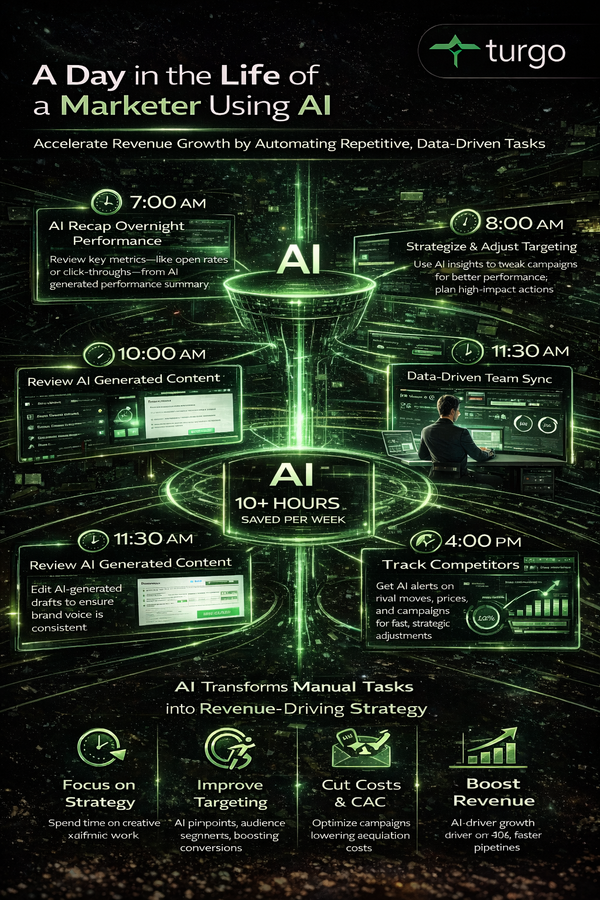
Automation isn't about replacing people. It's about protecting time for the work that actually moves the needle: strategy, optimization, and relationship-building. Every hour your team spends on manual tasks is an hour not spent on testing new channels, improving messaging, or building relationships with key accounts.
For founders and CMOs, the automation investment is one of the highest-ROI decisions you can make because it compounds. A 10% improvement in team productivity from automation, multiplied across a year, becomes a 10% improvement in pipeline and revenue. That's not a small thing.
FAQ
Should we automate everything in marketing?
No. Automate high-volume, rule-based, repetitive tasks. Keep relationship-based work manual. A sales rep closing a deal should be manual. A nurture email to 500 prospects should be automated. The rule: if it's the same action applied to many people or many times, automate it. If it requires judgment or relationship, keep it manual.
How long does it take to set up automation?
Basic automation (email sequences, social scheduling) takes 1–2 weeks to set up and optimize. More complex automation (lead scoring, multi-step workflows) takes 4–8 weeks. The timeline depends on how well you've documented your current process and how many systems you're connecting. Start with simple automations and build from there.
What if our automation breaks or sends the wrong message?
Test before you launch. Set up your automation in a test environment, run it through a small segment of your audience, and verify the results before rolling it out to your full list. Monitor automated workflows weekly for the first month, then monthly after that. If something breaks, you'll catch it quickly and can pause the automation while you fix it.
Do we need a dedicated person to manage automation?
Not necessarily. A single marketer can manage automation for a team of 5–10 people. As you scale, you might hire a marketing operations person to manage more complex workflows. The key is that someone owns it and monitors it regularly. Automation that's set up and forgotten will eventually cause problems.
What's the ROI on marketing automation tools?
Most teams see 3–5x ROI in the first year from time savings alone, and 5–10x ROI when you factor in conversion improvements and pipeline acceleration. A $2,000 annual tool investment that saves 200 hours per year (worth $15,000 in labor) and improves conversion by 10% (worth $50,000+ in additional revenue) is a no-brainer investment.
Should we automate before we have product-market fit?
Yes, but focus on the basics. Early-stage teams should automate email and social because those tasks consume the most time. Don't invest in complex lead scoring or multi-step workflows until you have consistent product-market fit and predictable customer acquisition. Start simple and add complexity as you scale.
How do we know if our automation is working?
Track metrics before and after implementation. For email automation, track open rates, click rates, and conversion rates. For lead scoring, track the percentage of leads marked as qualified and the conversion rate of qualified leads. For social automation, track engagement and reach. Compare these metrics month-over-month to see if automation is improving results.
What happens if we automate and lose the personal touch?
Automation doesn't eliminate personalization—it enables it at scale. Automated emails can include the prospect's name, company, and personalized content based on their behavior. Automated social posts can be tailored to different audience segments. The key is building personalization into your automation rules, not treating automation as a one-size-fits-all solution.
Can we automate sales conversations?
Not effectively. Sales conversations require judgment, relationship-building, and responsiveness to the prospect's specific situation. What you can automate is lead routing (sending the right lead to the right rep), follow-up scheduling (reminding reps to follow up), and data updates (logging calls and outcomes). The conversation itself should remain manual.
How do we avoid automating ourselves into irrelevance?
By automating tasks, not strategy. Automation should handle volume and consistency. Your team should handle strategy, optimization, and relationship-building. If your team is spending 80% of their time on manual tasks, automation frees them to spend 80% of their time on strategy. That's when you become more relevant, not less.
Is Your Growth Strategy Leveraging Automation?
If not, it's time to shift the paradigm. Start viewing manual tasks as a challenge to overcome, not a necessity to endure. Automation isn't about replacing your team, it's about empowering them to focus on strategy and growth. Protect their time, increase productivity, and drive pipeline growth - make the strategic decision to prioritize automation today.
Citations:
- [1] https://www.vationventures.com/glossary/go-to-market-strategy-definition-explanation-and-use-cases
- [2] https://www.productmarketingalliance.com/your-guide-to-go-to-market-strategies/
- [3] https://blogs.turgo.ai/how-ai-automation-transforms-marketing-pipeline-efficiency/
- [4] https://xgrowth.com.au/blogs/go-to-market-strategy-framework/
- [5] https://online.hbs.edu/blog/post/go-to-market-strategy-framework
- [6] https://www.coursera.org/articles/go-to-market-strategy
- [7] https://reteno.com/glossary/go-to-market-gtm-strategy
- [8] https://www.leanlabs.com/blog/components-of-a-go-to-market-strategy
- [9] https://www.highspot.com/blog/go-to-market-strategy/
- [10] https://amplitude.com/glossary/terms/go-to-market-strategy